
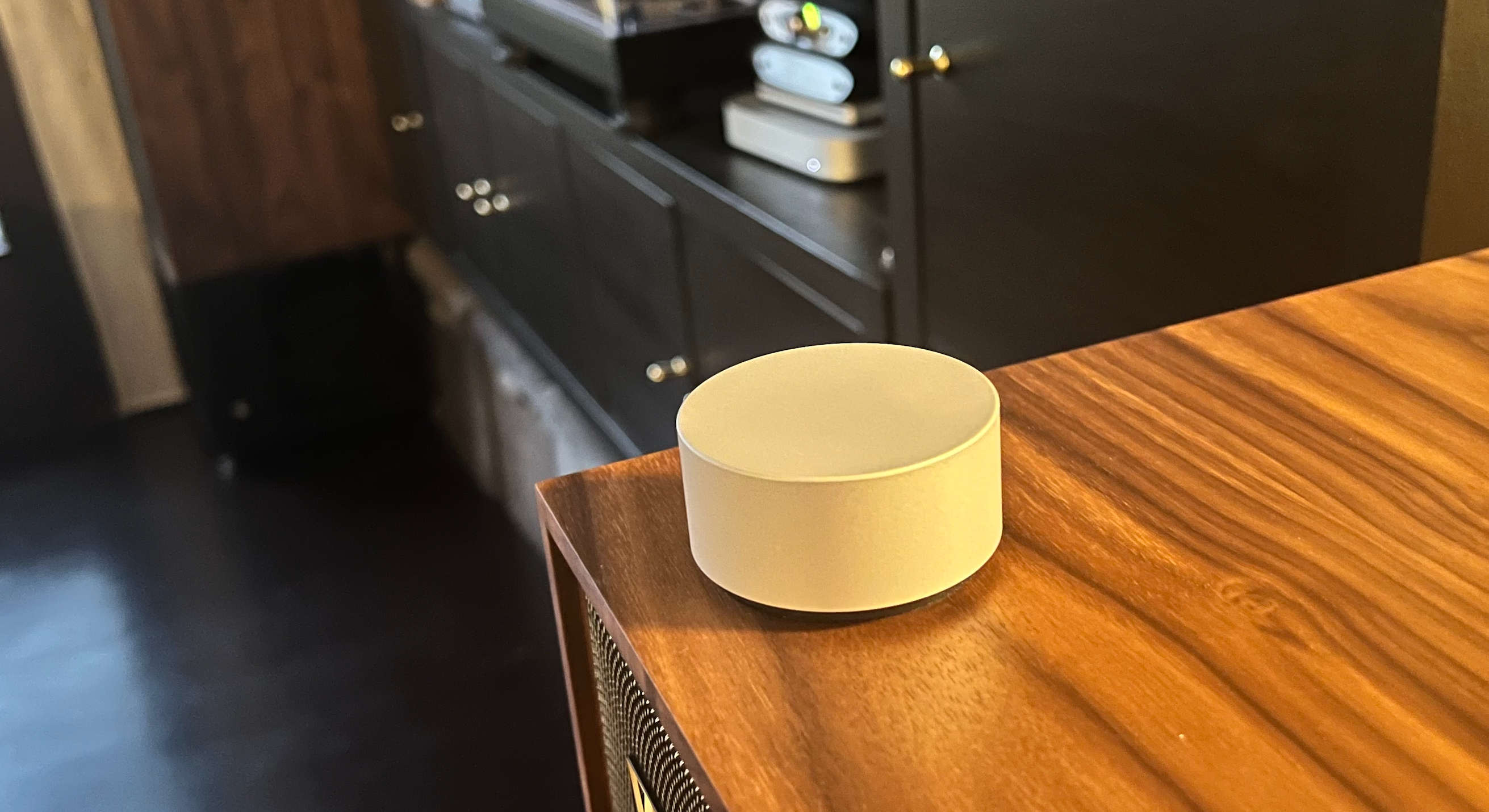
As a self-professed music geek with a deep love for both digital and physical media, I’m always on the lookout for ways to make my hi-fi system more efficient and accessible. My setup includes everything from a decent pair of Wharfedale speakers to various DACs and Mac and Pi for streaming high-fidelity audio playback. However, basic control of digital music from Plexamp to Apple Music was often a fragmented experience, requiring me to juggle multiple apps or, worse, allowing others to venture into my hi-fi cabinet. Then I came across the Surface Dial on sale for 50% off. Designed for creative professionals, this sleek, weighty knob isn’t even Mac-compatible out of the box. But the challenge of making it work was too enticing to resist, and I soon found myself on a journey to turn the Surface Dial into a dedicated, high-quality control knob for my digital music, one that anyone in my family could use.
The Use Case and Initial Setup Challenges
The Surface Dial, created by Microsoft, was designed as a tool for digital creators, offering a tactile way to interact with design software on Surface devices, such as adjusting brush sizes or rotating objects on-screen. Its smooth functionality, elegant build, and simplicity immediately grabbed my attention. The idea of using such a robust and stylish knob for controlling my music seemed too good to pass up, even though it wasn’t initially designed for Mac or for managing hi-fi systems.
Despite the Surface Dial being Windows-centric, I was determined to integrate it into my Mac-based hi-fi system. At 50% off, I couldn’t resist taking the plunge. My first challenge was figuring out how to make it work on macOS. That’s when I discovered Mac Dial, an open-source solution that provides basic Surface Dial support for macOS. Without this, the Surface Dial would just register as a confusing input device. I had no idea there was already such a community-driven solution available, but once I found it, I knew I was on the right track.
Setting Up Mac Dial and Proxy Audio Device
After some research and tinkering, I set out to build the perfect setup. I had a few questions along the way, which helped me refine the process. Here’s a breakdown of what I did to get it all working, based on the guidance I received:
1. Install Mac Dial
The first step was installing Mac Dial (link). This open-source tool allows macOS to recognise the Surface Dial and translate its inputs into media controls like volume adjustment, play/pause, and skipping tracks.
- I cloned the Mac Dial repository from GitHub and followed the instructions to build it using Xcode.
- After pairing the Surface Dial with my Mac via Bluetooth, I ran into a few snags, like missing dependencies, but those were fixed with a few commands to ensure all the submodules were updated.
2. Install Proxy Audio Device
The Mac Dial worked, but there was one big problem: it could only control the system volume, not the independent volume settings of music apps like Plexamp and Apple Music, which use my external DAC.
- That’s where Proxy Audio Device (link) came in. This virtual audio device acts as a middle layer between your system and external audio devices. I installed it using Homebrew and configured it through the Audio MIDI Setup tool to route both my system sounds and app-specific audio (Plexamp, Apple Music) through this virtual device.
- Once I set it as my default audio device, all audio, including that from Plexamp and Apple Music, could be controlled together by Mac Dial. Now, adjusting the system volume also changes the volume of any app outputting sound through the DAC.
3. Fine-Tuning
I did a little more tweaking with Audio MIDI Setup to ensure the Proxy Audio Device was configured properly, and it worked perfectly. Now, with the Surface Dial, I had seamless control over volume, play/pause, and track skipping whether I was listening to music on Plexamp or Apple Music.
The Outcome: A Simple, Yet Powerful Solution
After completing the setup, I couldn’t be happier with the outcome. What started as a fun experiment turned into a significant upgrade for my hi-fi system. With the Surface Dial now acting as a dedicated “control knob” in a fixed location, it became incredibly easy for anyone in the household to manage music playback (volume, play, pause and skip) without having to mess with remotes, apps, or the hi-fi gear itself (which really is “forbidden” territory for anyone but me).
- Plexamp and Apple Music Integration: Whether I’m streaming my high-quality FLAC files from Plexamp or listening to something on Apple Music, I can control everything with a simple turn or press of the Surface Dial.
- No More App Juggling: Gone are the days of reaching for my phone, digging through apps, or opening my hi-fi cabinet to adjust the volume.
- User-Friendly for the Whole Family: Now that the Surface Dial is integrated into my system, even my family can enjoy basic music controls without needing me to step in or fearing they might fiddle with the gear.
Conclusion: Simple Solutions for Maximum Happiness
Sometimes, it’s the little things that bring the most joy. In my man cave, the Surface Dial has become a simple but highly effective addition that makes listening to music a pleasure for everyone. No more hunting for remotes or mobile phones, just a high-quality control knob that sits in one place, ready for anyone to use.
Whether you’re a fellow hi-fi enthusiast or just someone looking to simplify their music setup, I highly recommend giving this a try. With a little bit of coding and the right open-source tools, you too can turn the Surface Dial into the ultimate music control device. Simple solutions really can bring a lot of happiness!